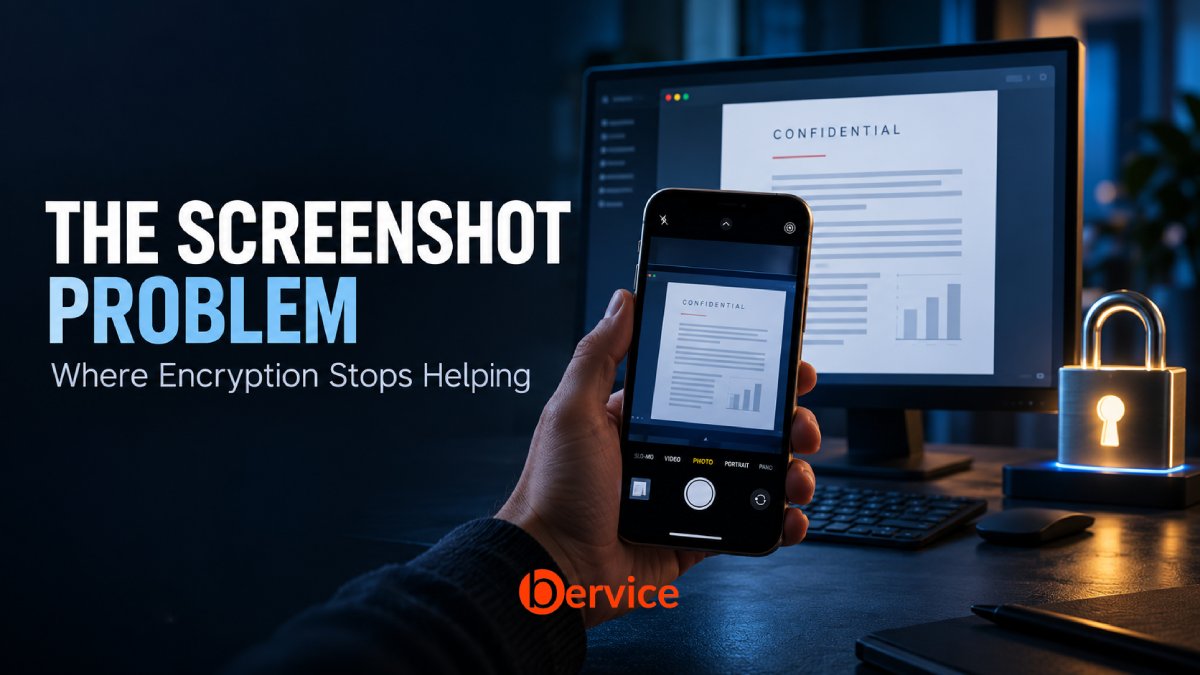
Once sensitive information appears on a screen, who can capture it? Understanding the boundary between cryptographic protection and recipient behavior.
You share a confidential document through an encrypted service. The recipient authenticates, opens the file, and reads it. Then they take a photograph of the screen.
No encryption algorithm was broken. No password was stolen. The system delivered the information to the person you authorized, and that person created another copy.
This is the screenshot problem: encryption can protect access to information, but it cannot, by itself, govern everything a person does after they can read it.
Understanding that boundary matters for anyone sharing private messages, business documents, credentials, or personal records. It also matters when evaluating security products. A promise to protect encrypted data is different from a promise to prevent a recipient from reproducing it.
What encryption actually protects
Encryption transforms readable information into ciphertext that requires the appropriate key to recover. Its practical protection depends on the design of the system, the handling of keys, and the security of the devices involved.
Different protections address different stages:
| Protection | What it is intended to protect | What it does not establish |
|---|---|---|
| Encryption in transit | Data moving across a network between the protected connection’s endpoints | That the service or recipient cannot read or copy it |
| Encryption at rest | Stored data, within the scope of the storage and key protections | That an unlocked application cannot expose it |
| End-to-end encryption | Content between the intended endpoints, with keys controlled according to the protocol | That either endpoint or its user cannot disclose it |
To display an encrypted document, the receiving system must recover its readable content and render a representation of it. The encrypted original may remain protected on disk or in transit. The visible representation creates a separate exposure.
A screenshot does not usually defeat the cryptography protecting the original. It captures information after an authorized decryption has made that information available.
Permission to read and permission to redistribute are different permissions. Encryption alone cannot enforce that distinction once someone can understand the content.
Who can capture information on a screen?
The answer depends on the device, application, operating system, physical environment, and attacker capabilities.
The intended recipient. Where capture is allowed, a recipient can use a screenshot, screen recording, copy function, or export option. If those routes are restricted, they may still photograph the display, transcribe a passage, or summarize what they read.
Someone physically nearby. A colleague, visitor, or person behind the recipient may see or photograph the display without accessing the encrypted service at all.
Software with sufficient access. Depending on platform permissions and device state, remote support tools, recording software, or malicious software may capture visible content. An ordinary application does not automatically have that access. The risk depends on the permissions and protections actually in place.
Someone controlling a compromised endpoint. If an attacker controls the receiving device deeply enough, they may obtain readable content through routes beyond screenshots. Strong encryption cannot compensate for every form of endpoint compromise.
These are different threats. Preventing accidental capture on a managed workstation is a different task from stopping a determined recipient holding a second phone.
Why screenshot blocking still matters
Some applications can ask the operating system to restrict screen capture. For example, Android documents a window protection called FLAG_SECURE, which prevents protected window content from appearing in screenshots and on non-secure displays. Android also documents limitations, so this protection should be assessed for the supported environment rather than treated as a universal guarantee. [1]
That can be useful. Blocking supported capture paths may reduce accidental screenshots, limit exposure during screen sharing, and make casual copying harder.
But software controls on one device do not control a separate camera pointed at its display. Nor should a restriction on your own device be assumed to apply to someone else’s device. Signal explicitly distinguishes its local screen security setting from preventing another person from taking a screenshot on theirs. [2]
The right question is therefore more precise than “Does this app block screenshots?” Ask which capture methods are restricted, on which platforms, under whose control, and with what documented limitations.
Screenshot blocking is a useful layer. Its value comes from reducing particular risks, not from making visible information impossible to reproduce.
Disappearing messages reduce retention, not recipient knowledge
Disappearing messages can shorten the time sensitive content remains available in an application’s history. That can reduce later exposure when someone gains access to the device.
They do not guarantee that the recipient has kept no record. Signal’s documentation makes this distinction directly: disappearing messages are not intended to protect against an adversarial contact who can photograph the screen before the message disappears. [3]
The distinction applies to expiring document links and temporary viewing sessions, too. Expiration can close a supported access route. It cannot reliably remove an independent photograph, transcription, or copy already created outside that route.
A timer limits availability within a system. It does not erase what someone has learned.
Revoking access cannot recall every copy
Consider a confidential proposal shared through a controlled viewer. You discover that it went to the wrong person and revoke their access.
If the viewer enforces that revocation, it may prevent further access through the service. That is valuable. But if the person already photographed a pricing table, revoking the original link does not delete the photograph.
The same distinction applies to key revocation or cryptographic deletion. Making an encrypted copy inaccessible does not establish that every previously created readable copy has disappeared.
Claims about revocation should specify their scope: future access to which resource, through which application, under which conditions? A system may enforce a strong boundary around its own resources while having no authority over independent copies.
Stronger cryptography does not change this boundary
Post-quantum cryptography addresses threats from quantum computing to cryptographic systems. NIST describes its purpose in terms of mathematical methods intended to resist attacks from conventional and quantum computers. [4]
A camera capturing a readable screen is a different problem. It does not need to recover a private key or solve a cryptographic challenge.
Likewise, decentralizing storage changes how data is distributed and managed. It does not prevent someone from recording information after it is displayed. A blockchain record may support a particular integrity or audit design, but it cannot make a visible sentence unreadable to a camera.
These are architectural distinctions, not reasons to dismiss cryptography or distributed systems. Each security mechanism needs to be evaluated against the threat it actually addresses.
What can reduce the risk?
The most effective approach starts before sensitive information appears on a screen.
Share less information
Give recipients only what they need for the task. If a reviewer needs one section of a document, consider providing that section rather than the complete file. Remove unnecessary personal identifiers and internal details.
Redaction must remove the underlying content from the shared artifact. A visual cover that leaves recoverable text underneath may create the appearance of protection without achieving it.
Choose recipients and access carefully
Confirm the intended recipient and match access to their role. Limit the number of people who receive highly sensitive material. Where a supported system provides time limits or access revocation, use them to reduce future exposure while recognizing their scope.
Authentication helps establish who is accessing a resource. It does not establish that the person will always handle its contents appropriately.
Use endpoint and viewing controls where appropriate
Managed devices, suitable screen capture restrictions, protected application previews, and careful notification settings can reduce specific exposure paths. Their effectiveness depends on the actual platform and configuration.
The physical environment matters as well. Sensitive material shown during a meeting, video call, or public journey may be exposed without any attack on the sharing service.
Use watermarks as deterrence and investigative context
A recipient-specific watermark may discourage casual redistribution and help identify the version involved in a leak. It is not proof that the named recipient personally disclosed the material. Their device could have been compromised, another person could have photographed it, or the image could have been altered.
Watermarking supports accountability. It does not prevent every copy or settle attribution by itself.
Treat logs as partial evidence
Access logs can help establish that an account opened a document. Screenshot alerts, where supported, may provide information about particular capture events.
Neither is a complete record of everything a person saw or recorded. An external camera can operate outside the application’s visibility. The absence of an alert should not be treated as proof that no copy exists.
A practical example
A company shares a confidential pricing proposal with an external partner.
Encryption can protect the proposal during storage and delivery within the system’s design. Authentication and access controls can restrict who opens it. A controlled viewer may reduce easy export, and a watermark may discourage redistribution.
The partner can still read the prices aloud, write them down, or photograph the screen.
The practical response is to match the disclosure to the business need: share the relevant prices, remove unnecessary details, select the recipient carefully, and use supported controls to reduce avoidable exposure.
If the consequences of a recipient reproducing the material are unacceptable, changing the encryption algorithm will not resolve that particular risk. The disclosure itself needs reconsideration.
What this means for Bervice users
When evaluating Bervice or any service handling sensitive information, separate questions about cryptographic protection from questions about authorized use.
Ask where decryption happens, who controls the keys, which devices are supported, and what protection applies after content is opened. If a product offers capture restrictions, expiration, or revocation, look for documentation explaining their scope and limitations.
The controls discussed in this article are general security mechanisms. Their inclusion here does not establish that Bervice implements them.
Good security communication makes these boundaries clear. Users should be able to understand what a service protects, what depends on their device, and what requires judgment about the person receiving the information.
The boundary worth remembering
Encryption remains essential. It can protect information from people who should not have access and reduce serious risks during storage and transmission.
Once an authorized recipient can read that information, another boundary comes into play: their device, their surroundings, and their behavior.
The screenshot problem does not mean encryption has failed. It means access protection and control over subsequent disclosure are different challenges.
Before sharing something sensitive, ask two questions: Who should be able to open it? And what would happen if someone who opens it makes a copy?
Connect with us : https://linktr.ee/bervice
Website : https://bervice.com