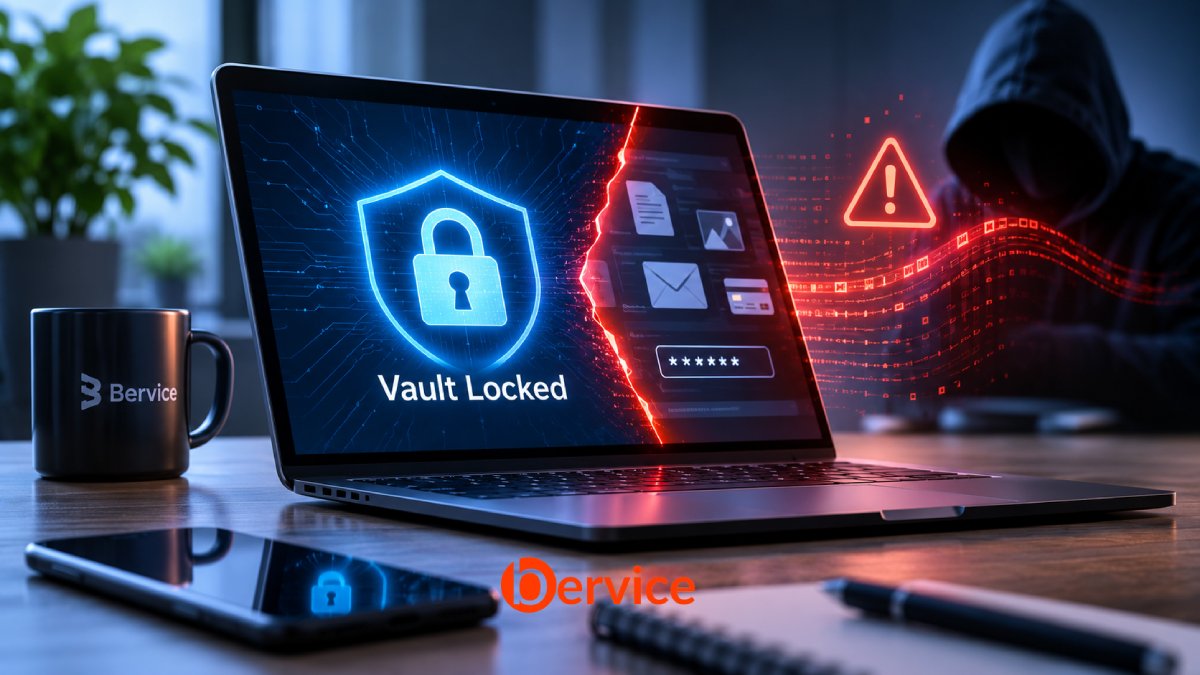
The Hidden Limits of Encryption When Your Device Is Compromised
We have learned to trust encryption.
We encrypt our files, protect our passwords, secure our databases, and place our most sensitive information inside digital vaults. We believe that as long as the encryption is strong enough, our data remains safe.
But there is a fundamental problem with this assumption.
Encryption protects the data. It does not automatically protect the environment in which the data is being used.
Imagine a laptop containing an encrypted vault of private documents, financial records, credentials, and confidential business information.
The vault is secure. The encryption is mathematically sound. The password is strong.
Now imagine that the laptop is infected with malware.
Or that someone has gained remote access to the operating system.
Or that an attacker is silently monitoring the user’s activity while the vault is unlocked.
Suddenly, the security equation changes.
The attacker may not need to break the encryption. They may simply need to wait until the legitimate user opens the vault.
The question is no longer whether the encrypted data can be decrypted.
The question becomes:
What happens to your data after it has been decrypted?
This is one of the most important and frequently overlooked challenges in modern cybersecurity.
1. Encryption Protects Data at Rest, Not Every Moment of Its Existence
Encryption is exceptionally effective at protecting information stored on a device.
When a laptop is powered off, an encrypted drive can prevent an unauthorized individual from reading its contents without the necessary authentication or cryptographic keys.
This is the primary purpose of technologies such as full-disk encryption, encrypted volumes, and encrypted file containers.
However, data does not remain encrypted throughout its entire lifecycle.
For a user to read a document, edit a spreadsheet, access a password, or interact with a database, the system must make the information available in a usable form.
At some point, the encrypted data becomes plaintext.
That plaintext may exist in:
- System memory (RAM).
- Application memory.
- Temporary files.
- Clipboard contents.
- Application caches.
- Operating system interfaces.
- Search indexes.
- Screenshots or screen recordings.
- Exported files.
- Backup and synchronization processes.
Not every application creates all of these artifacts, and some environments provide additional protections.
Nevertheless, the principle remains.
Encryption at rest protects stored information. It does not, by itself, guarantee the confidentiality of information while that information is actively being processed.
The National Institute of Standards and Technology (NIST) distinguishes storage encryption from other areas of data security, including data in transit and the broader security of systems that use stored information.
The distinction is critical.
A secure vault can protect a file while it is closed. Once that file is opened on a compromised endpoint, other security controls become necessary.
2. The Unlocked Laptop Becomes Part of the Security Boundary
Traditional security thinking often focuses on the vault itself.
How strong is the encryption algorithm?
How long is the password?
Where is the cryptographic key stored?
Can the encrypted container be copied without authorization?
These are important questions.
But they do not address the entire threat model.
A secure system depends on more than its cryptographic components. It also depends on the operating system, the applications accessing the data, the user’s session, and the integrity of the device.
Consider three different situations.
Scenario A: The Laptop Is Stolen While Powered Off
The attacker obtains the physical device but cannot authenticate to the operating system.
The encrypted storage remains inaccessible, assuming the encryption and key-management mechanisms are correctly implemented and the relevant keys are not available to the attacker.
This is a scenario in which encryption provides substantial protection.
Scenario B: The Laptop Is Stolen While Unlocked
The user is logged in.
The operating system is active. Applications are running. Some data may already be decrypted.
An attacker who gains control of the session may be able to access information that the legitimate user can access.
The encryption algorithm has not failed.
The security boundary has changed.
Scenario C: The Laptop Is Compromised During Normal Use
The user opens the vault and continues working.
Meanwhile, malware operates in the background.
Depending on its privileges, capabilities, and the application’s architecture, it may be able to observe decrypted information, capture credentials, inspect application memory, manipulate files, or extract data through legitimate application interfaces.
The vault may still be cryptographically secure.
But the endpoint is no longer trustworthy.
This is the fundamental limitation of relying exclusively on encryption for endpoint data protection.
3. Why Malware Does Not Always Need to Break Encryption
Modern attackers frequently target the process surrounding encryption rather than the encryption mechanism itself.
Breaking a well-implemented cryptographic algorithm can be extremely difficult.
Stealing information from an authorized session can be significantly easier.
An attacker may attempt to:
- Capture keystrokes while a user enters sensitive information.
- Extract credentials from browser or application storage.
- Steal authentication tokens.
- Monitor clipboard activity.
- Access decrypted files through operating system permissions.
- Capture screenshots of sensitive information.
- Exploit vulnerabilities in the application that manages the vault.
- Abuse legitimate APIs to retrieve information.
- Manipulate the user’s workflow to expose confidential data.
The effectiveness of these techniques depends on the attacker’s access level and the security controls in place.
For example, malware running with limited privileges may be unable to inspect another process protected by stronger operating system controls.
Likewise, a well-designed application may minimize the amount of plaintext exposed in memory and restrict access to sensitive operations.
However, once an attacker gains sufficient privileges within the environment where the data is being used, encryption alone cannot guarantee that the information remains confidential.
The attacker does not necessarily need the master key.
They may simply need access to the decrypted output.
4. The Real Problem: Data in Use
Cybersecurity traditionally divides data protection into three states.
Data at Rest
Information stored on a hard drive, SSD, database, or other storage medium.
Primary protection mechanisms include:
- Full-disk encryption.
- File and folder encryption.
- Encrypted databases.
- Cryptographic key management.
Data in Transit
Information moving between devices, systems, or networks.
Primary protection mechanisms include:
- TLS.
- Secure communication protocols.
- Network authentication.
- Certificate validation.
Data in Use
Information actively processed by an application, operating system, or computing environment.
This is where the challenge becomes significantly more complicated.
Data in use must often be available in plaintext to the software performing the operation.
- A password manager must provide a password to the user or an application.
- A document editor must render the contents of a document.
- A financial application must calculate values from financial records.
- A database must process queries against its information.
- A cryptographic vault must make its contents usable.
The traditional security model often assumes that the device and operating system performing these operations are trustworthy.
But what happens when that assumption is false?
The data may be protected before access and after use, while remaining vulnerable during the most valuable moment of its lifecycle.
The moment of use is not a minor security detail. It is a critical part of the threat model.
5. The Clipboard: A Small Feature With a Large Security Implication
Consider a password manager.
A user unlocks the vault, selects a password, and copies it to the clipboard.
The vault may immediately close or remain locked.
But the copied password is now outside the vault’s original security boundary.
Depending on the operating system and the applications involved, clipboard contents may be accessible to other processes, synchronized across devices, or retained longer than the user expects.
This creates a subtle security problem.
The vault may be perfectly protected, but the information has entered a different environment with different security assumptions.
The same issue applies to:
- Copying confidential documents.
- Exporting private keys.
- Pasting authentication codes.
- Sharing sensitive information between applications.
- Moving data into cloud-connected software.
Security cannot be evaluated only by examining the encrypted container.
It must also consider the pathways through which information leaves that container.
6. Memory Is Not a Digital Vault by Default
When encrypted data is opened, cryptographic operations and application processing may expose plaintext or key material in system memory.
This creates another potential attack surface.
An attacker with sufficient access may attempt to inspect process memory, obtain sensitive buffers, or exploit application vulnerabilities.
However, it is important to understand that memory exposure is not automatic.
Modern operating systems implement process isolation, access controls, and other protections. Hardware security features can provide additional defenses.
The problem is that these controls depend on the integrity of the environment.
If an attacker compromises the operating system at a sufficiently high privilege level, some of the protections that applications rely on may become ineffective.
This leads to an important architectural question:
Can sensitive information be processed in an environment that is more isolated from the general-purpose operating system?
Technologies such as hardware-backed secure enclaves and confidential computing attempt to address parts of this problem.
They can provide stronger isolation for selected operations or workloads.
But they are not universal solutions.
Their effectiveness depends on the hardware, implementation, threat model, and what information is exposed outside the protected environment.
A secure enclave does not automatically make an entire laptop trustworthy.
7. Encryption Is Not the Same as Isolation
This distinction deserves particular attention.
Encryption transforms information so that it cannot be meaningfully interpreted without the required cryptographic material.
Isolation restricts which components can access or interact with sensitive information.
Both are important.
But they solve different problems.
A vault may encrypt every byte of its contents while remaining accessible to an application running inside a compromised operating system.
The cryptography protects the stored representation.
Isolation attempts to protect the execution environment and the access pathways.
A stronger architecture may combine:
- Encryption at rest.
- Hardware-backed key protection.
- Strict process isolation.
- Least-privilege application permissions.
- Secure memory handling.
- Authentication for sensitive operations.
- Short-lived access sessions.
- Data minimization.
- Controlled communication between applications.
The objective is not simply to make unauthorized decryption difficult.
It is to reduce the number of components that can access sensitive information in its usable form.
This is a much more demanding security objective.
8. What Happens When the Device Is Controlled by Someone Else?
The threat becomes even more serious when the attacker has physical access to the laptop or control over the user’s session.
Imagine a corporate executive using an encrypted vault containing:
- Business credentials.
- Confidential contracts.
- Financial documents.
- Private communications.
- Cryptographic keys.
- Internal company information.
If the laptop is stolen while locked, encryption can provide a meaningful barrier.
If the laptop is stolen while unlocked, the attacker may inherit an active session.
If the device is remotely controlled by an attacker, sensitive information may be accessed without any attempt to decrypt the underlying storage.
This is why security teams must distinguish between:
Device security: Is the physical machine protected?
Session security: Is the active user session trustworthy?
Application security: Can the software accessing the data be compromised?
Data security: Is the information protected throughout its lifecycle?
Identity security: Can the attacker impersonate the legitimate user?
These are connected but separate security layers.
A failure in one layer can undermine the protection provided by another.
9. Can We Protect Data While It Is Being Used?
The answer is not a simple yes or no.
There are technologies that can significantly reduce the exposure of sensitive data during processing.
But no single technology can eliminate every risk associated with a compromised endpoint.
Hardware-Based Isolation
Trusted execution environments and hardware-backed security mechanisms can isolate selected operations from the normal operating system.
They may protect sensitive computations or cryptographic material against certain classes of attacks.
However, they cannot necessarily prevent an attacker from observing information intentionally exposed through an application’s output.
Memory Protection
Secure memory handling, process isolation, and minimizing plaintext exposure can reduce the risk of sensitive data being extracted.
Applications can also avoid retaining secrets longer than necessary.
But memory protection depends on the capabilities and integrity of the underlying system.
Least-Privilege Architecture
Applications should have access only to the information they genuinely require.
A document viewer should not automatically have unrestricted access to every secret stored in a password manager.
A background process should not be able to retrieve an entire vault simply because one operation requires a single credential.
Compartmentalization can reduce the impact of a compromise.
Just-in-Time Access
Sensitive information can be made available only when needed.
Access can be restricted by time, operation, identity, and context.
This approach reduces the duration of exposure.
However, once information has been provided to a compromised application, the application may still be able to capture it.
Continuous Device Validation
Security systems can evaluate device integrity, authentication state, and relevant risk signals before granting access.
A device that was trustworthy yesterday may not be trustworthy today.
But device validation is not a guarantee that malware is absent. Detection mechanisms can have blind spots.
The goal is to make access decisions based on more than a password or an unlocked vault.
10. The Principle of Minimum Exposure
One of the most useful principles in designing secure data systems is simple:
Sensitive data should be exposed only to the components that need it, only for the operations that require it, and only for as long as necessary.
This principle has several practical implications.
First, applications should avoid decrypting entire collections of sensitive data when a single item is sufficient.
Second, sensitive information should not be unnecessarily copied between applications.
Third, access to secrets should be separated from access to the broader device environment.
Fourth, applications should minimize the persistence of plaintext in temporary files, logs, caches, and memory.
Fifth, security architecture should assume that individual components can fail or become compromised.
This is not about eliminating encryption.
It is about extending the security model beyond encryption.
A vault should not be treated as the entire security system.
It should be one component of a larger architecture designed to control the exposure of information.
11. The Future of Secure Personal Computing
As personal computing becomes increasingly connected to AI assistants, automation systems, browser agents, and background applications, the number of components that can interact with sensitive information continues to grow.
A user may unlock a vault and then allow an AI assistant to summarize a document.
An automation system may retrieve credentials to complete a task.
A browser extension may interact with a password manager.
A synchronization service may transfer encrypted records between devices.
Each interaction creates a new security boundary.
The question is no longer simply:
How do we encrypt our files?
It is also:
Which applications can access our information?
What happens when those applications are compromised?
Can sensitive data be processed without exposing it to the entire operating system?
Can access be revoked after a device becomes untrusted?
Can we prevent a compromised component from accessing information that it does not need?
These questions will become increasingly important as software systems become more autonomous.
The next generation of secure computing must focus on controlling access to information during its entire lifecycle, not just while it is stored.
12. The Bervice Perspective: Security Beyond the Locked Vault
At Bervice, we believe that privacy and security should not depend on a single protective mechanism.
Encryption is fundamental.
But encryption alone cannot establish trust in a compromised device.
A secure digital environment must consider the relationship between data, applications, identities, permissions, and the system processing the information.
The objective should be to minimize unnecessary exposure, reduce the number of trusted components, and ensure that sensitive information remains under controlled access throughout its lifecycle.
For local-first computing, this becomes especially important.
Keeping data on the user’s own device can reduce exposure to external infrastructure and unnecessary cloud storage.
But local storage does not automatically mean secure storage.
A local application still depends on its operating system, its permissions, its update mechanisms, and the integrity of the device.
A truly privacy-oriented architecture must account for these realities.
The future of secure personal computing is not simply about building stronger vaults.
It is about building systems in which access to the contents of those vaults remains controlled, even when the surrounding environment becomes less trustworthy.
Conclusion: The Vault Is Only as Secure as the Moment You Open It
A locked vault is valuable.
Strong encryption is essential.
But the security of sensitive information cannot be measured exclusively by the strength of its encryption algorithm.
The real challenge begins when the data becomes usable.
When a laptop is compromised, when an application is untrusted, or when an attacker gains access to an active session, the protection offered by encryption at rest may no longer be sufficient.
This does not make encryption ineffective.
It reveals the limits of what encryption was designed to do.
The next generation of cybersecurity must combine cryptography with isolation, access control, device integrity, secure execution, and data minimization.
Because the most important security question is not only whether someone can break into your vault.
It is whether they can access everything the moment you open it.
Your vault is locked. Your laptop is open. What is protecting your data now?
References
- National Institute of Standards and Technology (NIST), Guide to Storage Encryption Technologies for End User Devices, SP 800-111.
- UK Information Commissioner’s Office (ICO), Encryption and Data Storage.
- UK National Cyber Security Centre (NCSC), Device Security Principles for Manufacturers: Protect Data at Rest and in Transit.
- Microsoft Security, What Is Endpoint Security?
Bervice
Privacy is not just about protecting stored information.
It is about controlling access to information at the moment it matters.
Connect with us : https://linktr.ee/bervice
Website : https://bervice.com