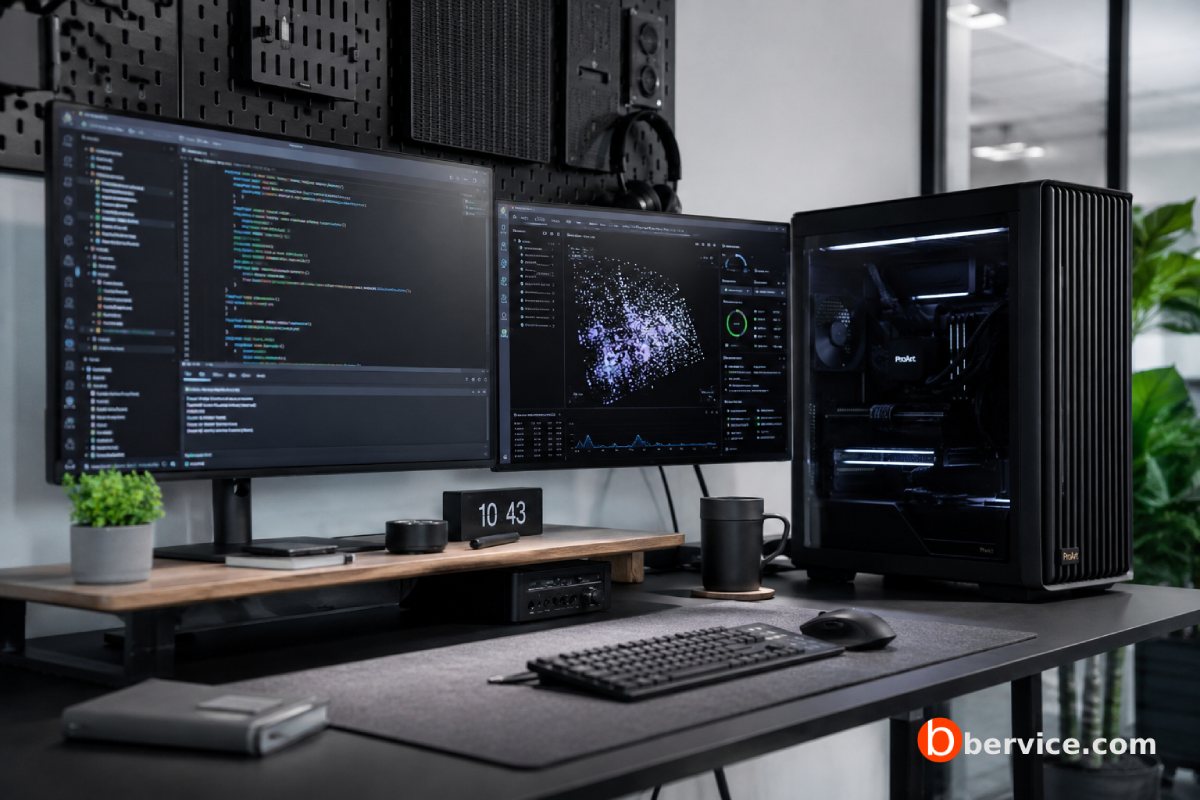
How AI Model Developers Manage Software Complexity
1. Introduction: AI Infrastructure Is No Longer Only About the Cloud
Artificial intelligence infrastructure is often discussed in terms of cloud GPUs, massive data centers, and large-scale clusters. However, enterprise workstations still play a critical role in the practical development of AI systems. For many teams, the workstation is where experimentation begins, where models are tested locally, where sensitive data can be handled more safely, and where developers can validate ideas before moving workloads to larger infrastructure.
Enterprise AI workstations are not ordinary desktop computers. They are high-performance systems built with powerful CPUs, professional GPUs, large memory capacity, fast storage, enterprise drivers, and certified software stacks. In AI development, these machines act as a bridge between personal experimentation and production-scale deployment.
As AI systems become more complex, developers must think beyond model architecture. They must consider data pipelines, GPU memory limits, dependencies, container environments, inference latency, model monitoring, security, compliance, and deployment targets. In this environment, enterprise workstations become local AI labs where developers can control, test, and optimize the full software stack before scaling.
2. Why Enterprise Workstations Matter in AI Development
Enterprise workstations are valuable because they give AI teams dedicated local compute power. Instead of waiting for shared cloud resources or paying for every experiment, developers can run preprocessing, fine-tuning, inference testing, vector database experiments, and model evaluation directly on local hardware.
This is especially useful during the early stages of AI development. Many model ideas fail quickly. Running every failed experiment on cloud infrastructure can become expensive and inefficient. A workstation allows teams to iterate faster, test assumptions, debug code, and validate whether a model or pipeline is worth scaling.
NVIDIA describes AI workstations as systems that can support end-to-end data processing and model development workflows, especially when GPU-accelerated libraries are used to speed up data preparation and experimentation.
3. The Workstation as a Local AI Lab
A modern AI workstation can function as a compact AI laboratory. Developers can install frameworks such as PyTorch, TensorFlow, CUDA, RAPIDS, Docker, Kubernetes tools, vector databases, local LLM runtimes, and MLOps utilities. This creates a controlled environment where the team can develop and test AI systems without immediately depending on external infrastructure.
This local lab approach is important for privacy-sensitive organizations. Companies working with legal documents, financial data, medical data, source code, customer records, or internal business knowledge may not want early experiments to happen in cloud environments. A workstation allows local testing with stronger control over data movement.
For companies building internal AI assistants, enterprise search, private copilots, or local analytics systems, workstations are often the safest starting point. They allow teams to test retrieval augmented generation, embedding models, fine-tuning workflows, and inference performance before deciding whether to deploy on-premises, in the cloud, or at the edge.
4. From Prototype to Production
The biggest mistake in AI infrastructure planning is assuming that a successful notebook automatically becomes a production system. In reality, a model that works in a Jupyter notebook may fail in production because of latency, memory usage, dependency conflicts, data drift, security gaps, or integration problems.
Enterprise workstations help reduce this gap. Developers can use them to simulate production-like conditions. They can containerize the model, test API serving, measure GPU memory usage, monitor CPU and RAM pressure, validate model outputs, and check whether the system behaves consistently across different workloads.
NVIDIA AI Enterprise is an example of how enterprise AI software is packaged as a full platform for developing, deploying, and managing AI applications across cloud, data center, edge, and workstation environments. It includes AI frameworks, microservices, SDKs, GPU drivers, Kubernetes operators, and cluster management tools.
5. AI Development Is a Full-Stack Problem
AI model development is no longer only about writing training code. It is a full-stack engineering problem. A developer must understand the model, the data, the GPU runtime, the inference server, the API layer, the monitoring system, and the deployment environment.
For example, an LLM project may include data collection, data cleaning, embedding generation, vector storage, prompt orchestration, model serving, safety filtering, logging, evaluation, and user feedback loops. Each part has its own software dependencies and failure points.
This is why enterprise workstations are useful. They allow developers to build and test a miniature version of the full AI system locally. Instead of only asking “Does the model work?”, the team can ask “Does the entire system work reliably?”
6. How Developers Think About Software Complexity
AI developers manage software complexity by breaking the system into layers. These layers usually include hardware, drivers, operating system, frameworks, model code, data pipelines, orchestration tools, deployment services, monitoring, and governance.
At the hardware layer, developers must understand GPU memory, CPU bottlenecks, storage speed, PCIe bandwidth, thermal limits, and multi-GPU communication. At the software layer, they must manage CUDA versions, Python dependencies, framework compatibility, container images, model formats, and inference engines.
This layered thinking is essential because many AI problems are not caused by the model itself. A model may be mathematically correct but fail because of an incompatible driver, an unstable package version, a memory leak, a slow data loader, or an inefficient tokenizer.
7. The Importance of Reproducibility
One of the main challenges in AI development is reproducibility. A model may work on one machine but fail on another because the operating system, driver version, CUDA version, Python package versions, or environment variables are different.
Enterprise teams reduce this risk by using containers, lock files, versioned datasets, model registries, and documented infrastructure configurations. Workstations are often used to create the first reproducible environment before the same container or deployment package is moved to cloud or server infrastructure.
This is where Docker, Conda, Poetry, Git, MLflow, DVC, and container registries become important. The goal is to make the AI workflow repeatable, not dependent on one developer’s machine.
8. MLOps: The Operating System of AI Teams
MLOps is the discipline that connects machine learning, software engineering, and operations. It helps teams build, deploy, monitor, and maintain machine learning systems in production. Palo Alto Networks describes MLOps as a practice that manages the lifecycle of data, models, and code as connected workflows.
For model developers, MLOps is how software complexity becomes manageable. Instead of manually training models, copying files, and deploying scripts, teams define pipelines. These pipelines handle data ingestion, preprocessing, training, evaluation, packaging, deployment, and monitoring.
Enterprise workstations are often used to design and debug these pipelines before they are automated at scale. The workstation becomes the place where the developer proves that the pipeline logic is correct before moving it to CI/CD, Kubernetes, or cloud infrastructure.
9. Data Pipelines Are Often More Complex Than Models
Many people think AI complexity comes mainly from model architecture. In practice, data pipelines are often more difficult. Data must be collected, cleaned, labeled, transformed, balanced, validated, stored, and versioned.
If the data pipeline is weak, the model will be unreliable. A powerful workstation helps developers process large datasets locally, test feature engineering logic, generate embeddings, and validate data quality before training or fine-tuning.
For LLM applications, data complexity becomes even more important. The system may need document chunking, metadata extraction, vector indexing, permission-aware retrieval, deduplication, ranking, and evaluation. These are software engineering problems as much as AI problems.
10. GPU Memory Shapes Model Design
Enterprise workstations also influence how developers design and test models. GPU memory determines whether a model can be trained, fine-tuned, quantized, or served locally.
If a workstation has limited GPU memory, developers may use smaller models, quantization, LoRA, QLoRA, gradient checkpointing, mixed precision, batching strategies, or model offloading. These techniques are not just optimizations. They shape the architecture and deployment strategy.
This is why workstation selection matters. A machine with more GPU memory, faster storage, and enough RAM gives developers more freedom to test larger models, longer context windows, bigger batch sizes, and more realistic workloads.
11. Benchmarking and Performance Validation
AI developers cannot rely only on theoretical specifications. They need benchmarks. Benchmarks help compare hardware, software stacks, model serving engines, and optimization strategies.
MLPerf is one of the best-known benchmark suites for AI performance. MLCommons explains that MLPerf Training measures how fast systems can train models to a target quality metric. NVIDIA also describes MLPerf as a benchmark designed to evaluate training and inference performance across hardware, software, and services under prescribed conditions.
For enterprise teams, benchmarking on a workstation is useful before buying larger infrastructure. Developers can test whether a model runs acceptably on local hardware, whether inference latency is practical, and whether optimization is needed before scaling.
12. Software Stack Compatibility Is a Major Challenge
AI software stacks are complex because they evolve quickly. CUDA, cuDNN, PyTorch, TensorFlow, TensorRT, ONNX Runtime, NVIDIA drivers, Python versions, and operating system libraries must work together.
A small mismatch can break the environment. For example, a PyTorch version may require a specific CUDA runtime. A GPU driver may support one CUDA version but not another. A package may work on Linux but fail on Windows. A model may export to ONNX but behave differently during inference.
Model developers handle this by standardizing environments. They use tested base images, infrastructure documentation, version pinning, automated environment builds, and compatibility matrices. Enterprise workstations make this easier because teams can maintain controlled and repeatable development environments.
13. Containers Reduce Risk but Do Not Remove Complexity
Containers are widely used in AI development because they package dependencies into repeatable environments. A container can include the model server, Python packages, runtime libraries, and configuration files.
However, containers do not solve everything. GPU containers still depend on host drivers. Storage mounts, network settings, security permissions, and hardware access must be configured correctly. A container that runs on a workstation may need changes before running on Kubernetes or in a cloud environment.
Developers therefore test containers locally, validate GPU access, check logs, measure performance, and then promote the container to staging or production. The workstation becomes the first serious validation layer.
14. Inference Is Different From Training
Training and inference have different requirements. Training focuses on learning from data. It requires large datasets, long-running jobs, high memory, and often distributed compute. Inference focuses on serving predictions quickly, reliably, and cost-effectively.
Intel’s explanation of MLPerf notes this distinction clearly: training is where AI models are built using data, while inference is where models are run as applications.
Enterprise workstations are especially valuable for inference testing. Developers can test response time, token generation speed, batch size, model quantization, caching, streaming output, and memory usage before deploying the model to users.
15. The Role of Workstations in Local LLM Development
Local LLM development is one of the strongest use cases for enterprise workstations. Teams can run open-weight models locally, test prompt engineering, evaluate retrieval pipelines, compare quantized versions, and experiment with agent workflows.
This matters because LLM systems are not only models. They are software systems built around the model. A practical LLM application may include a vector database, document parser, embedding model, reranker, prompt template system, tool calling layer, permission engine, audit logs, and user interface.
A workstation allows developers to test all these components together. This is much closer to real product development than simply calling a cloud API.
16. Security and Governance Start During Development
AI security cannot be added at the end. Developers must consider security from the beginning. This includes access control, secrets management, prompt injection risks, model output validation, data leakage, logging policies, and compliance requirements.
Enterprise workstations help by keeping sensitive development workflows local. However, local does not automatically mean secure. Developers still need disk encryption, secure credential storage, network controls, audit logs, patch management, and strict access policies.
For enterprise AI, governance also includes model versioning, dataset lineage, evaluation records, approval workflows, and human oversight. These practices help organizations understand which model was used, which data trained it, and why a decision was made.
17. Workstations Support Hybrid AI Infrastructure
The future of AI infrastructure is hybrid. Some workloads will run locally, some on workstations, some in private data centers, some in cloud GPU clusters, and some at the edge.
Enterprise workstations fit naturally into this hybrid model. They allow developers to prototype locally, then scale successful workloads to larger systems. Dell describes its AI Factory approach as combining AI-optimized infrastructure, accelerated computing, enterprise AI software, workstations, networking, storage, and services into a full-stack platform for enterprise AI.
This shows an important shift: workstations are no longer isolated developer machines. They are part of a larger AI infrastructure strategy.
18. How Developers Decide What Runs Locally and What Scales
Developers usually decide based on workload size, sensitivity, cost, latency, and collaboration needs.
Small experiments, debugging, prompt testing, data preparation, and local inference often run well on workstations. Large-scale pretraining, massive fine-tuning, multi-GPU distributed training, and high-volume production inference usually require servers or cloud infrastructure.
The best strategy is not “local only” or “cloud only.” The best strategy is workload placement. Each AI workload should run where it is safest, fastest, most cost-effective, and easiest to manage.
19. Enterprise Workstations Reduce Cloud Waste
Cloud GPUs are powerful but expensive. Many teams waste cloud budget because they run poorly prepared experiments on expensive infrastructure. Enterprise workstations reduce this waste by allowing developers to test locally first.
Before launching a large cloud job, developers can verify that the data loader works, the training script starts correctly, the model fits in memory, the evaluation code is valid, and the container runs properly. This can prevent costly failures.
For startups and enterprise teams alike, workstations can improve the economics of AI development. They do not replace cloud infrastructure, but they make cloud usage more deliberate.
20. The Human Side of AI Infrastructure
AI infrastructure is not only a technical system. It is also a workflow for people. Data scientists, ML engineers, backend developers, DevOps teams, security teams, and business stakeholders all interact with the AI development lifecycle.
Enterprise workstations give technical teams more independence. Developers can test ideas without waiting for infrastructure approvals. Data scientists can iterate faster. Security teams can enforce local controls. IT teams can standardize hardware and software environments.
This improves productivity because it reduces friction between experimentation and engineering.
21. Common Mistakes Companies Make
Many organizations make the mistake of buying GPUs before defining their AI workflow. Hardware alone does not create AI capability. A powerful workstation without proper software, data management, and deployment processes will still produce fragile systems.
Another mistake is treating AI models as isolated files. In production, the model is only one part of the system. The surrounding software determines whether the AI product is reliable, secure, maintainable, and useful.
A third mistake is ignoring developer experience. If the environment is difficult to set up, unstable, or poorly documented, AI teams lose time solving infrastructure problems instead of building better models.
22. What a Good Enterprise AI Workstation Setup Includes
A strong enterprise AI workstation setup usually includes a professional GPU with enough VRAM, a high-core CPU, large RAM capacity, NVMe storage, reliable cooling, enterprise drivers, Linux or Windows support depending on the workflow, container support, secure storage, and remote access controls.
On the software side, it should include version-controlled code, containerized environments, reproducible dependency management, GPU monitoring tools, experiment tracking, dataset versioning, model evaluation tools, and clear documentation.
The goal is not only performance. The goal is controlled experimentation.
23. How Model Developers Design for Complexity
Good AI developers design for complexity by assuming change. They know that models will change, datasets will change, libraries will update, deployment targets will evolve, and business requirements will shift.
To manage this, they separate components. They keep data pipelines modular. They track model versions. They isolate environments. They define interfaces between services. They use automated tests. They monitor production behavior. They document assumptions.
This engineering discipline is what turns AI from a research experiment into a reliable system.
24. Conclusion: Enterprise Workstations Are Strategic AI Infrastructure
Enterprise workstations are not just powerful computers. They are strategic infrastructure for AI development. They help teams experiment faster, protect sensitive data, reduce cloud waste, debug complex software stacks, and prepare models for real production environments.
As AI becomes more software-intensive, the role of the workstation becomes more important. The challenge is not only training bigger models. The challenge is building reliable AI systems that can move from prototype to production without breaking.
AI model developers manage this complexity through layered architecture, reproducible environments, MLOps, containerization, benchmarking, security practices, and hybrid infrastructure planning. In that process, the enterprise workstation remains one of the most practical and important tools in the AI development lifecycle.
Connect with us : https://linktr.ee/bervice
Website : https://bervice.com