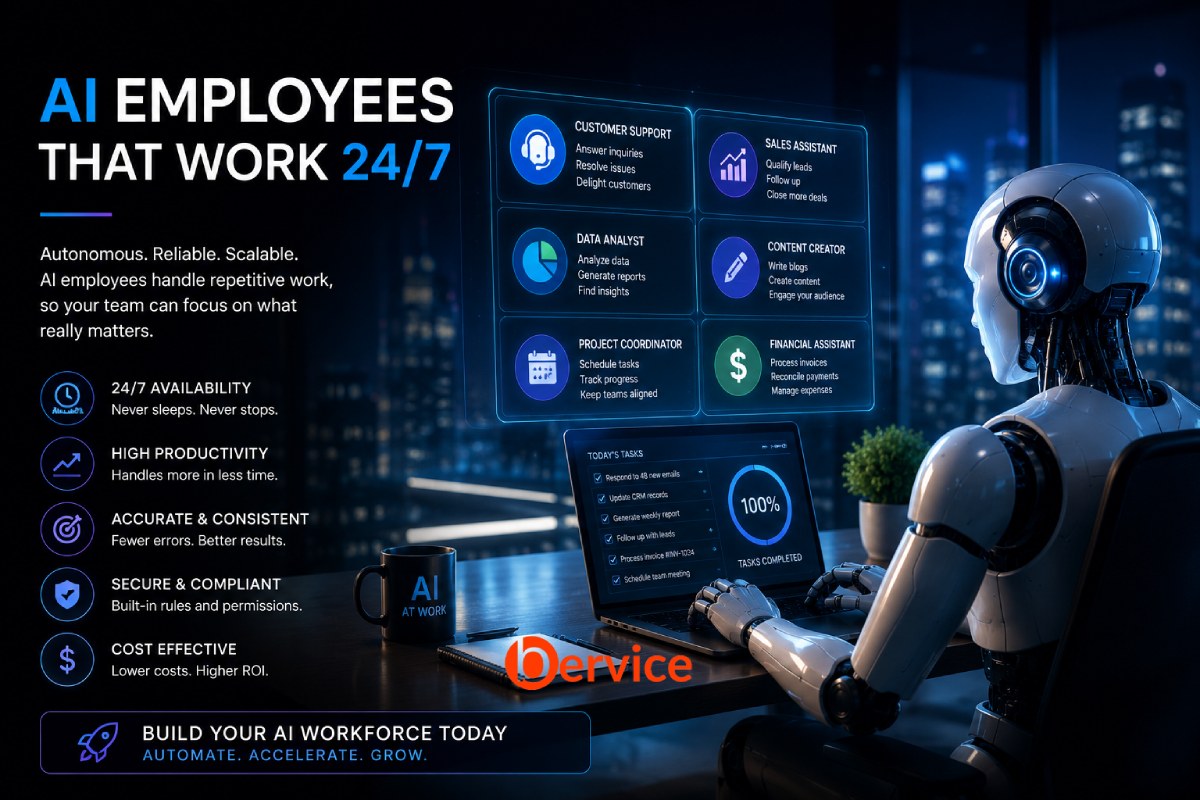
Artificial Intelligence is no longer just a tool for answering questions or generating content. It is evolving into something much more valuable: a digital employee capable of performing real business tasks around the clock.
Unlike traditional software, an AI employee can understand requests, make decisions within defined boundaries, communicate with customers, use business systems, and continuously improve through feedback. It doesn’t replace every human role, but it dramatically changes how organizations operate.
The companies that embrace AI employees today are not simply reducing costs. They are building organizations that can scale without hiring at the same pace.
What Is an AI Employee?
An AI employee is an autonomous software worker designed to complete specific responsibilities rather than isolated tasks.
Instead of asking AI to “write an email,” you assign it a role such as:
- Customer Support Specialist
- Sales Development Representative
- Marketing Analyst
- HR Coordinator
- Financial Assistant
- Technical Documentation Manager
- Project Coordinator
Each AI employee has:
- A defined job description
- Business knowledge
- Access to approved tools
- Decision-making rules
- Memory of previous interactions
- Performance metrics
- Escalation procedures
In other words, it behaves much closer to a real employee than a chatbot.
Step 1: Define the Job
Many AI projects fail because businesses start with technology instead of responsibilities.
Don’t ask:
“How can we use AI?”
Ask:
“Which repetitive job consumes the most time?”
Good AI employee roles usually involve:
- Repetitive workflows
- Clear decision rules
- Large amounts of documentation
- High communication volume
- Frequent information retrieval
Examples include:
- Responding to customer emails
- Scheduling meetings
- Creating reports
- Managing invoices
- Following up with leads
- Updating CRM systems
- Organizing company knowledge
Step 2: Give It Knowledge
A new employee cannot perform well without training.
The same is true for AI.
Your AI employee needs access to:
- Company documentation
- Product manuals
- Internal policies
- FAQs
- Contracts
- Pricing information
- Standard operating procedures
- Historical support tickets
- Knowledge bases
Instead of relying only on the language model’s general knowledge, modern AI systems retrieve company-specific information when needed.
This makes answers more accurate, more consistent, and easier to update.
Step 3: Connect It to Business Tools
An employee who cannot use business software is not very productive.
Your AI employee should interact with systems such as:
- CRM platforms
- Slack or Microsoft Teams
- Calendars
- Project management software
- ERP systems
- Databases
- Cloud storage
- Ticketing systems
- Payment platforms
These integrations transform AI from an assistant into an active contributor.
For example:
Customer sends an email.
↓
AI reads the message.
↓
Checks CRM history.
↓
Looks up inventory.
↓
Creates a response.
↓
Updates customer records.
↓
Schedules follow-up.
↓
Notifies a human only if necessary.
No manual intervention required.
Step 4: Build Decision Rules
Autonomy does not mean unlimited freedom.
Professional AI employees operate within clearly defined rules.
Examples include:
- Never approve refunds above $500.
- Escalate legal questions immediately.
- Require manager approval for discounts over 20%.
- Never access confidential records without authorization.
- Verify customer identity before changing account information.
These rules make AI predictable and trustworthy.
Step 5: Give It Memory
One weakness of traditional chatbots is that every conversation starts from zero.
An AI employee should remember:
- Customer history
- Previous conversations
- Open tasks
- Team preferences
- Project status
- Pending approvals
- Business context
Memory enables continuity.
Instead of asking customers to repeat themselves, AI can continue conversations naturally and intelligently.
Step 6: Add Human Escalation
The best AI employees know when they should stop.
Situations requiring escalation include:
- Legal disputes
- Medical advice
- Financial exceptions
- Emotional complaints
- Security incidents
- High-value contracts
- Ethical concerns
Knowing when not to act is just as important as acting correctly.
Step 7: Measure Performance
Human employees have KPIs.
AI employees should too.
Useful metrics include:
- Response time
- Resolution rate
- Customer satisfaction
- Task completion rate
- Accuracy
- Escalation frequency
- Cost per task
- Revenue generated
- Time saved
- Error rate
Continuous measurement allows organizations to improve AI just like they improve human teams.
Step 8: Continuously Improve
AI employees should never remain static.
Every interaction creates opportunities to learn.
Organizations can improve them by:
- Updating documentation
- Refining prompts
- Improving workflows
- Adding new integrations
- Expanding tool access
- Reviewing failures
- Incorporating user feedback
Unlike traditional software releases, AI systems can evolve continuously.
A Practical Example
Imagine an e-commerce company.
Without AI:
A customer asks where their order is.
An employee:
- Opens email
- Checks CRM
- Opens shipping portal
- Finds tracking
- Writes reply
- Updates ticket
Time:
5 to 10 minutes.
With an AI employee:
Customer emails.
↓
AI identifies the customer.
↓
Retrieves order.
↓
Checks shipping status.
↓
Generates personalized response.
↓
Updates CRM.
↓
Closes ticket.
Time:
Less than 30 seconds.
Multiply this across thousands of daily requests, and the productivity gains become significant.
The Technology Stack Behind an AI Employee
A complete AI employee usually combines several technologies:
Large Language Model
Provides reasoning, communication, and natural language understanding.
Retrieval System
Supplies company-specific knowledge when needed.
Memory Layer
Stores long-term context and previous interactions.
Workflow Engine
Coordinates multi-step processes.
APIs
Allow interaction with external services.
Business Rules Engine
Defines what AI is allowed to do.
Monitoring System
Tracks performance, costs, and reliability.
Together, these components create a reliable digital workforce rather than a simple chatbot.
Common Mistakes
Many businesses struggle because they:
- Try to automate everything at once.
- Give AI unrestricted access.
- Skip documentation.
- Ignore human oversight.
- Measure only cost savings.
- Fail to define responsibilities.
- Neglect security and permissions.
- Treat AI as a magic solution instead of an operational system.
Successful implementations start with one well-defined role and expand gradually.
The Future of Work
The next generation of organizations may include both human and AI employees working together.
Humans will increasingly focus on:
- Strategy
- Creativity
- Leadership
- Relationship building
- Complex decision-making
- Innovation
AI employees will handle:
- Repetitive operations
- Administrative work
- Data processing
- Documentation
- Monitoring
- Scheduling
- Reporting
- Routine customer interactions
This collaboration creates faster, more scalable, and more resilient businesses.
Final Thoughts
Building an AI employee is not about replacing people. It is about redesigning work.
The most successful AI employees are not those with the most advanced models. They are the ones with clearly defined roles, reliable knowledge, appropriate permissions, measurable objectives, and effective collaboration with human teams.
Organizations that start building AI employees today are not simply automating tasks. They are creating a new digital workforce that operates continuously, scales effortlessly, and allows human talent to focus on higher-value work.
In the coming years, every company may have dozens or even hundreds of AI employees working alongside people. The competitive advantage will belong not to those with the most AI, but to those who design, manage, and integrate it most effectively.
Connect with us : https://linktr.ee/bervice
Website : https://bervice.com